.png)
24Planning supports a framework for validating the assignment of events to particular resources. I.e. the events may require specific properties of the resource and you do not want to allocate events to resources that do not have these matching properties.
One obvious example is skill matching where certain tasks (events) require a particular skill set of the person (resource). With the validation framework, planners will not be able to assign tasks to people that do not have the appropriate skills.
The framework is not limited to one property only, i.e. an event could require multiple resource properties.
Datasource Assignment Rules
The constraints are defined in so-called Datasource Assignment Rules. There can be zero, one or more Datasource Assignment Rules in a datasource definition. If there are multiple rules, all rules need to be met, i.e. the assignment rules are combined according to a logical AND.
If some rules evaluate as false, it is not possible to allocate the event to that particular resource.
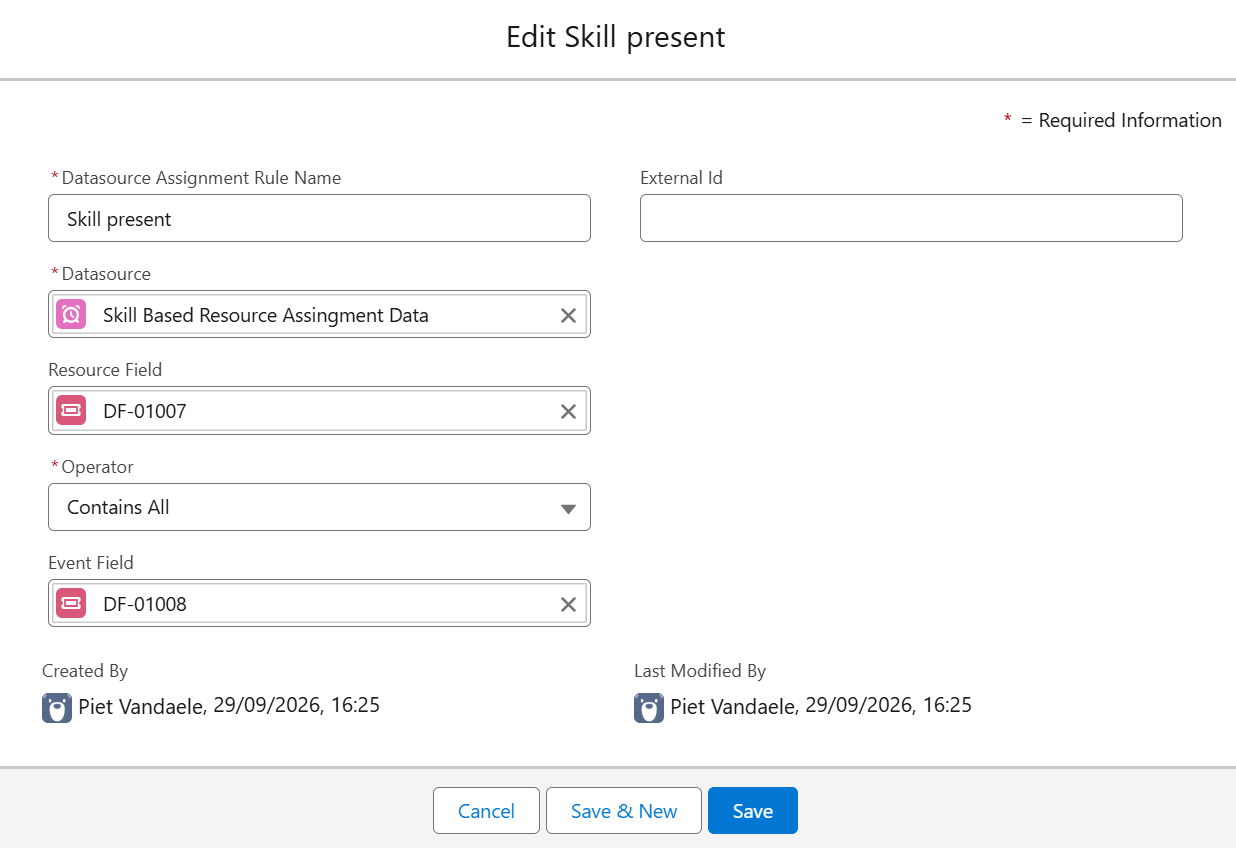
Resource And Event Fields
The Resource and Event Fields refer to specific Dynamic Fields.
Since both the resource and event can have multiple properties and a property can belong multiple resources or events, we are working with Junction Objects. So you need 2 junction objects:
-
The first junction object links resources with skills.
-
The second junction object links events with skills.
In the Dynamic Field definition, there are 5 important parameters to configure, others are auto filled. In the example below, we will model the dynamic field of type Resource. The dynamic field of type Event is built in a similar way.
-
Type: Choose either Resource or Event
-
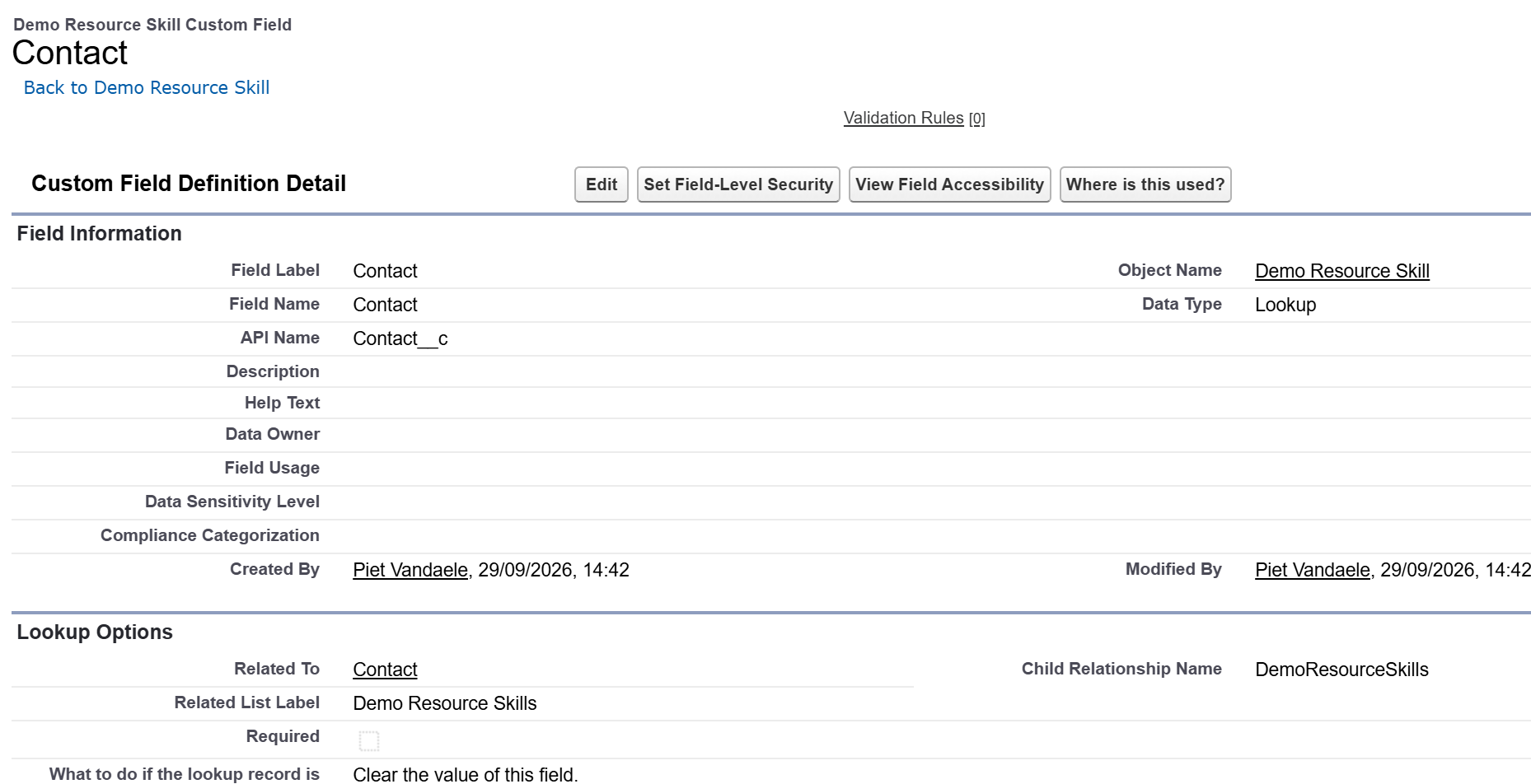
Field Reference: Navigate in Setup > Object Manger to your Junction Object (in this case the junction object that links resources to skills). Open the section Fields and Relationships:
-
Open the lookup field to your Resource
-
Locate the Child Relationship Name
-
The Field Reference is the API name of this field, which is
fieldname__r -
As an example, in the screenshot below, the junction object linking skills to resources is named Demo Resource Skill. The lookup field to the resource is Contact and the Child Relationship Name is DemoResourceSkills so the Field Reference to enter on the dynamic field is
DemoResourceSkills__r.
-
-
Field Label: give a name to the field e.g. Skills
-
Junction field reference: provide the API name of the lookup field on the junction object to the property or skill. E.g. in the example below DemoSkill__c

-
Junction Related Name Field: the API name of the name field on the junction object.