
You can embed the 24Planning component in a screenflow.
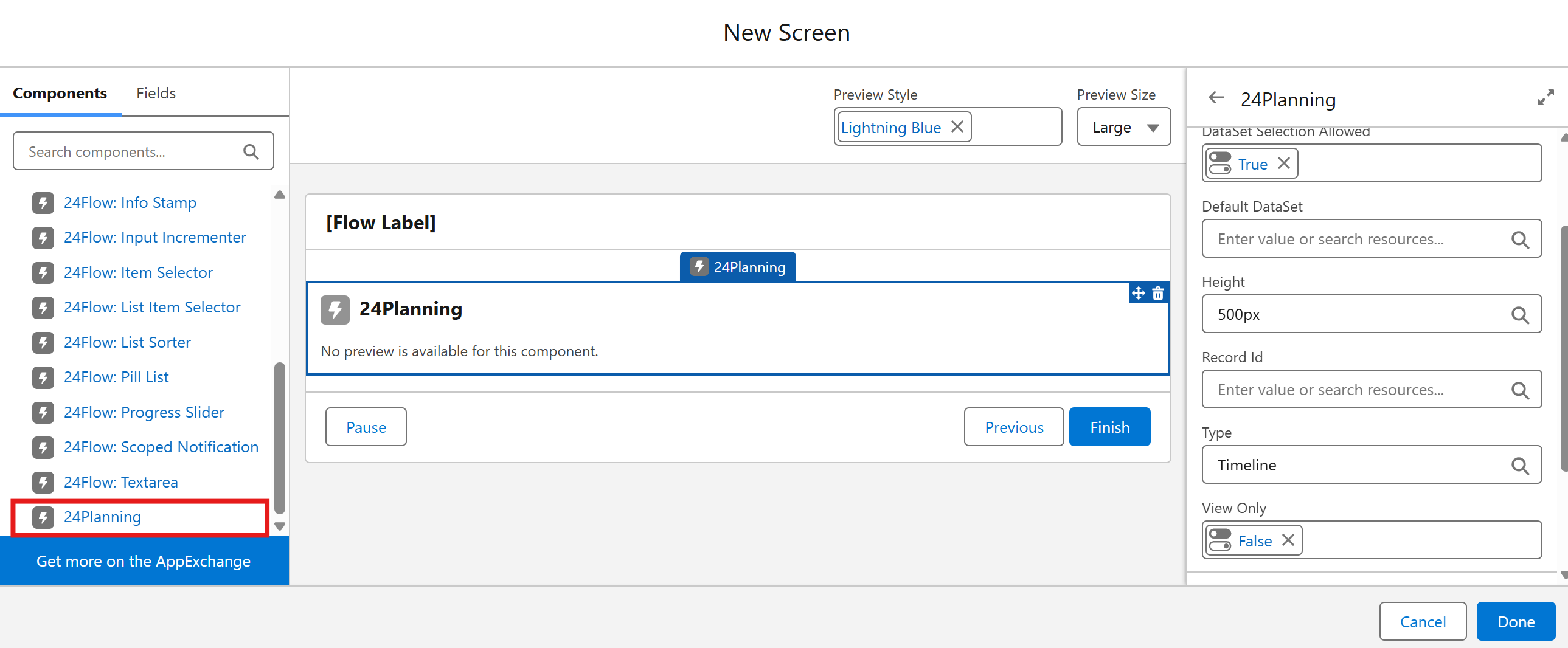
The following parameters should be configured on the component:
-
DataSet Selection Allowed: whether you can specify a specific dataset in the screenflow.
-
Default DataSet: the default dataset that will be loaded.
-
Height: height of the component, expressed in pixels.
-
Record Id: e.g. the Id of the project record for which the Gantt should be shown.
-
Type: either ‘Timeline’ (resource view') or ‘Gantt’
-
View Only: Boolean indicating whether the planning view should be shown either in read-only or in editable format.